Video · audio · editing

MiniMax H3

Local video, audio, and editing workflows.

A local workflow series covering video with audio, reference-driven sequences, tracked inpainting, and two-pass latent upscaling.

CurrentPublic sources reviewed

Video with audioReference continuityTracked inpaintingLatent upscaling
Start with the setup
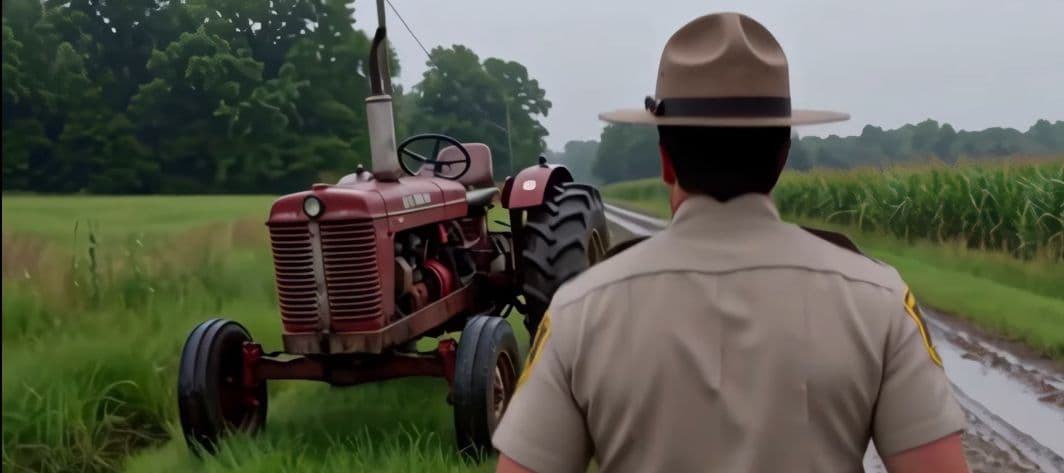
A sheriff approaches a red tractor on a rural road, from the MiniMax H3 reference-video tutorial.
From the MiniMax H3 tutorialView source frame

A practical learning path

MiniMax H3, step by step.

Begin with the setup guide, then move into the task you need. Chapters link to the relevant moments in the original videos.

Your MiniMax H3 progress

0 of 4 guides marked complete

Start learningMiniMax H3: Local Video and Audio Setup
01 / MiniMax H310:29 video
Video guideVideo generation

MiniMax H3: Local Video and Audio Setup

Understand the FP8/INT8 model options, matching encoders and VAEs, native audio, and the resolution-duration tradeoff on the tutorial's 8 GB GPU.

MiniMax H3Local setup8 GB VRAM
02 / MiniMax H38:39 video
Video guideVideo generation

MiniMax H3: Reference-Driven Video

Assign clear jobs to reference images and video clips, then build a sequence using short continuation references instead of loading unnecessary frames.

MiniMax H3Reference to video8 GB VRAM
03 / MiniMax H39:33 video
Video guideVideo generation

MiniMax H3: Tracked Video Inpainting

Track an object with SAM 3.1, clean its mask, and regenerate a cropped region before blending it back into the source video.

MiniMax H3Inpainting8 GB VRAM
04 / MiniMax H38:28 video
Video guideVideo generation

MiniMax H3: Two-Pass Latent Upscaling

Follow the Turbo LoRA workflow from a coarse first pass through learned latent upscaling and a second detail pass, with text-to-video and first/last-frame modes.

MiniMax H3Latent upscale8 GB VRAM

The complete hardware picture

VRAM is only part of the budget.

The setup, inpainting, and upscaling tutorials document an RTX 5060 laptop with 8 GB VRAM and 32 GB system RAM. Reference length, clip duration, and generation resolution all affect memory pressure.

What to watch for

Keep the limitations in frame.

Distant faces, spatial continuity, and mask quality need careful review. Upscaling and acceleration are not substitutes for a sound generation baseline.

These pages summarize published demonstrations. They do not certify a new workflow build or guarantee the same result on different hardware.