Image · generation · editing

Krea 2

Image generation and editing in ComfyUI.

Generate images with Turbo FP8, then explore identity editing, restaging, and clothing references with their limitations in view.

CurrentPublic sources reviewed

Turbo FP8Text to imageIdentity editingClothing references
Start with the setup
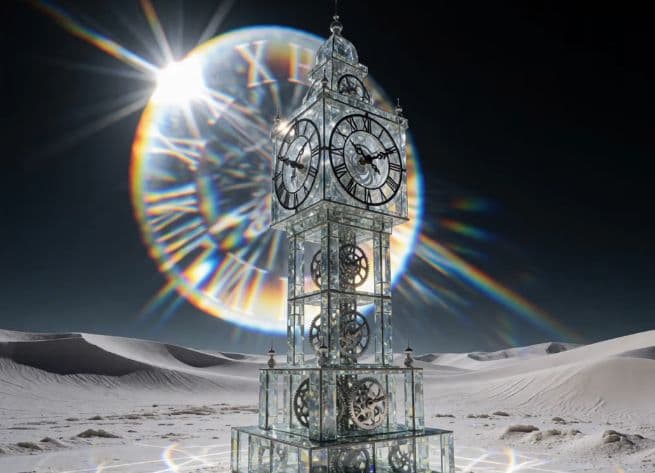
A transparent clock tower in pale dunes with a prismatic halo, from the Krea 2 Turbo image-generation tutorial.
From the Krea 2 tutorialView source frame

A practical learning path

Krea 2, step by step.

Begin with the setup guide, then move into the task you need. Chapters link to the relevant moments in the original videos.

Your Krea 2 progress

0 of 2 guides marked complete

Start learningKrea 2: Turbo FP8 Image Generation
01 / Krea 27:50 video
Video guideImage generation

Krea 2: Turbo FP8 Image Generation

Explore image generation across environments, materials, portraits, and stylized scenes, then walk through the local FP8 setup and sizing controls.

Krea 2Turbo FP88 GB VRAM
02 / Krea 211:10 video
Video guideImage generation

Krea 2: Image Editing and Clothing Changes

Explore the identity-edit LoRA through restaging, object edits, and clothing references—with both the successful edits and the failure cases kept in view.

Krea 2Image editing8 GB VRAM

The complete hardware picture

VRAM is only part of the budget.

Both tutorials report an RTX 5060 with 8 GB VRAM and 32 GB system RAM. The edit demonstration uses a different workload from text-to-image generation; their settings are not interchangeable.

What to watch for

Keep the limitations in frame.

Text, fine geometry, identity preservation, and complete clothing transfers can fail. Review the whole image, including areas outside the requested edit.

These pages summarize published demonstrations. They do not certify a new workflow build or guarantee the same result on different hardware.